Implementing horizontal attribute tabs
Introduction
X-Cart 5.1.4 introduced vertical product attribute tabs that look as follows:
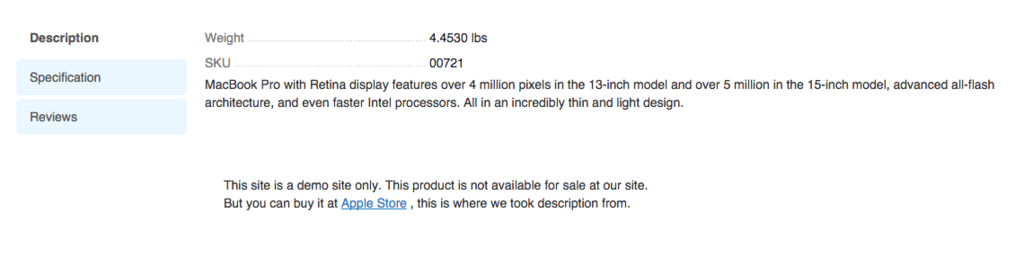
If you are one of the clients, who prefers previous horizontal look of product tabs, then this guide is for you.
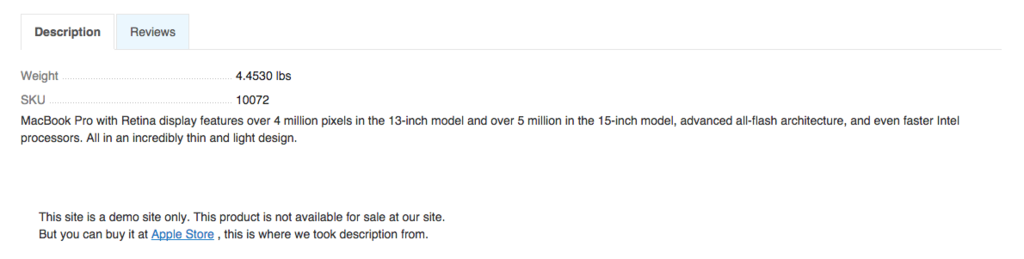
Implementation
We start with creating an empty module with developer ID XCMods and module ID ProductTabsChange. This change comes down to applying set of CSS rules, so we need to register a new CSS file. We create the
classes/XLite/Module/XCEMods/ProductTabsChange/View/AView.php file with the following content:
<?php

namespace XLite\Module\XCMod\ProductTabsChange\View;

/**
 * Abstract widget
 */
abstract class AView extends \XLite\View\AView implements \XLite\Base\IDecorator
{
    public function getCSSFiles()
    {
        return array_merge(
            parent::getCSSFiles(),
            array(
                'modules/XCMod/ProductTabsChange/css/style.css',
            )
        );
    }
}
and then create the aforementioned skins/customer/modules/XCMod/ProductTabsChange/css/style.css CSS file with the following content:
.product-details-tabs div.tabs ul.tabs {
    width: 100%;
    margin-bottom:10px;
    border-bottom:1px solid #E5E5E5;
}

.product-details-tabs div.tabs ul.tabs > li {
    float:left;
    margin-right:2px;
    margin-bottom:-2px;
}

.product-details-tabs div.tabs ul.tabs > li + li {
    margin-top:0px;
}

.product-details-tabs div.tabs-container {
    width:100%;
}

.product-details-tabs div.tabs-container .tab-container {
    margin-left:0px;
}

.product-details-tabs div.tabs ul.tabs > .active,
.product-details-tabs div.tabs ul.tabs > .active:hover {
    border:1px solid #E5E5E5;
    border-bottom:1px solid white;
    margin-bottom:-1px;
}

.product-details-tabs div.tabs ul.tabs > li > a, .product-details-tabs div.tabs ul.tabs > li > span {
    border-radius:0px;
    border:1px solid #E5E5E5;
}
That is it, now you should see the change applied in customer area.
Module pack
You can download this module pack from here: XCMod-ProductTabsChange-v5_3_0.tar